Tuesday, June 27, 2006

More Support for Progressive HD tranmissions

My letter to MDA chief for HD has not yet been answered. Anyway, here's something I came across while doing some other research in my line of work.

EBU recommendation for a progressive approach to HD in Europe

I'll write more about it soon. In any case, the EBU supports HD transmissions in Progressive, and gives well weighted reasons for it. Take a look yourself.

Excerpt:
EBU Project Group B/TQE looked objectively at the technical case for retaining interlaced scanning or using progressive scanning. Although it may be surprising, the group has not been able to find technical arguments to support the continued use of interlaced scanning in the circumstances being considered. These are the delivery of new HD services to progressively scanned receivers, in an environment where advanced bitrate reduction is available. The technical arguments that we have found come down in favour of progressive scanning.
If any of this means anything to you, you could drop an email to the MDA chief of the HD programme: yeo_chun_cheng@mda.gov.sg Do it before it's too late. We stand at the cusp of HD adoption in Singapore. If we are too late, we will never be able to do the right thing. For those who came in late, MDA has announced that they will standardize on an interlaced 1080i format as reported in the Straits Times. It may be a wrong decision, and one should let the government reconsider or at least address this question. After all, it is taxpayers' money, and I am a taxpayer and so may you be.


powered by performancing firefox

Why Wimbledon HD not shown through Starhub?

The Wimbledon championships is yet another golden platform to show off Starhub's new HD service.

http://www.tvtechnology.com/features/news/2006.06.14-n_BBC.shtml

WHY IN THE WORLD is Starhub not showing Wimbledon HD during our Starhub trials? The content is already licensed from ESPN, does it cost so much extra to put it into channel 300 or 301???

Toshiba's HD-DVD player is a PC!


Actually, Toshiba's first HD-DVD player is actually a .... PC! Isuppli tore down a player, and the secret's out!

http://www.eetimes.com/rss/showArticle.jhtml?articleID=189600999

It's an Intel PC with 1GB memory and tons of other subsidiary chips.

This is why I say, this year, the HTPC is really gonna boom! Even Toshiba has bowed to the power and flexibility of a PC.

When are you gonna get a HTPC? Abit can supply you a HDMI motherboard real soon for the new Conroe chips. I'll probably build a expandable, customizable ultra high quality HTPC as soon as Conroe ships.

Friday, June 23, 2006

Hands Off the Internet

This is an animated cartoon about the future of the Internet:

http://www.internetofthefuture.org/


This site set up obviously by telcos or a group of telcos, hosted at 1and1.com. The summary of it - Telcos who spend lots of cash to put in more bandwidth, want to segment the bandwidth to `premium' bandwidth and `normal' bandwidth, where presumably the premium bandwidth will be more expensive but offer assured service levels. But te US Congress wants `net neutrality' - and if the US Congress gets what it wants, it will be illegal for any company to segment bandwidth this way at least within the US.

This affects us. What is illegal in the US will mean that we don't get the technology to do all this in Asia. And we probably can't depend on Europe.

To me, hey, more power to you, big business. Do what you want. Let the public decide.
Nobody knows the business as well as business. And I believe that free market Competition will suffice to act as a check and balance against overcharging.

Obviously not what the commies at The Register believe ... to hell with questioning the justifications. If Big Business wants to charge more, so be it. Why has our faith in the invisible hand of the free market wavered so far???

Let's put it this way - if government wants to control, they probably gotta pay (unless they put a gun to the telco's head, and I believe the USA has not reached this desperate situation, yet) and if government pays, it's the public money. If the government of the USA decides to pay for it, it might create a dangerous precedent for OUR government. And I'd really rather not pay since I really don't use that much bandwidth. Look, just a thousand or so visitors to this blog (which is in the USA) don't take as much bandwidth as Mr. Brown's 50K visitors! Let Mr. Brown pay!

Conroe - the new King?

Yesterday, I was invited to the Intel Channel Conference held at The Legend at Fort Canning Park, as one of the small-time speakers.

The most interesting thing at that event, was that Intel commissioned Terence from VR-Zone to build 2 systems based on the $1600 AMD FX62 and the top end Intel Core2Duo (at around the same price). No other constraints, according to Terence. He tried his best for both, and the sysconfig only differed from the motherboard chipset and CPU. The AMD system used a nForce5 chipset and the Intel system used a 975 chipset, all other things equal. No overclocking was allowed, everything ran at stock speed. Various benchmarks were prepared, but 2 were used - MPEG encoding and a Half Life Timedemo.

In both the tests, the Conroe system beat the FX62 by a margin of about 40%.

Seems now that it is indisputable that the Conroe is king for now. Until next year, that is.

HDMI version 1.3 finalized and published

Reported in The Register today that the HDMI version 1.3 specification has been finalized and published. If you buy a HDMI v1.3 device today, you will not face some of the `unanswered issues' for audio which I discussed in my other blogpost HDTV in Singapore - which is, how will HDMI 1.1 or 1.2 support Dolby Digital Plus and DTS HD, which are contained in the newest releases for HD-DVD or Blu-Ray discs, which can easily be supported by both 1.1 or 1.2 but is disallowed by the licensing authority.

That being said, WHY in the world they screwed the early adopters of HDMI by disallowing direct support for DDP and DTS HD as a `policy' and not a technical limitation is beyond me, and some real explanation from the HDMI licensing authority is sorely required.

Thursday, June 22, 2006

ADB confirms that the ADB 3800C can output in 1080p/24

I spoke to the Vice President of Asia Sales of Advanced Digital Broadcast, David C. Tung, at the ADB booth in Broadcast Asia 2006, and happily he confirms that the ADB 3800C can output in 1080p/24 if Starhub broadcasts in that format.

Just a point of interest - pressing the # key to change the resolution, you can NEVER get 1080p, so I guess if what David says is correct, the box will definitely require a firmware upgrade to do that in any case.

Now, let's just hope that the MDA boss replies my letter!

Tuesday, June 20, 2006

Letter to MDA Chief Technology Officer

I felt compelled to write to MDA HDTV Programme Director Yeo Chun Cheng to suggest the use of Progressive Video delivery mechanism in the eventual rollout of Singapore's broadcast HDTV. Below is the letter ad-verbatim:

From: Michael Tan <michaeltanyk@gmail.com>Mailed-By: gmail.com
To: yeo_chun_cheng@mda.gov.sg
Date: Jun 20, 2006 4:20 PM
Subject: High-Definition TV trials use widely adopted HD standard

Mr. Yeo,

I am one of the HDTV enthusiasts who have jumped on the HD bandwagon with gusto. I work in
the technology industry, in the IT environment.

A lot of us are so enthusiastic that we have made HD a chief topic of our blogs and post enthusiactically at forums. I maintain a blog at http://miketan.blogspot.com and a majority of our posts have been on HD.

Because we are at the trial stage of HD, and your organization has a large influence on HD formats, I would like to state a preference that most of us at enthusiasts forums in Singapore, including Hardwarezone and Xtremeplace, for PROGRESSIVE VIDEO FORMATS.

I include an article in issue 109 of WideScreen Review, an enthusiast magazine, on why progressive is better, technically. This article, Progressive High Definition Video, by Joe Kane, include the following points:

1) Interlace introduces artifacts, progressive escapes this.
2) Our video compression technologies for digital media content today are more efficient dealing with Progressive than Interlaced.
3) HD is our chance to escape the legacy of analog, embrace it - Interlace is an analog compression technology serving no good purpose in today's digital video environment.
4) Progressive reduces bandwidth, giving better quality at a given bandwidth. 1080p/24 takes up less bandwidth than 1080i/60, with significantly better picture quality.
5) Most of the masters for newer content is done in 1080p/24 already, not interlaced.
6) The majority of new displays appearing on the market today support progressive signals
7) We cannot always sell what the consumers want, because they are not qualified to know what better they can have. Some technology shift is necessary to reach the next stage. IF HENRY FORD GAVE WHAT THE CONSUMER WANTED, HE WOULD HAVE MADE A FASTER HORSE.

From the Singapore perspective, I would add the following points:

1) Singapore is now usually now at the forefront of product releases, almost at par with the USA. In a way, we are really quicker than the USA because our customs policies encourage free trade, and Singapore is almost totally a free-entry port. We have the newest products from USA, Japan, Korea, Taiwan and China, and our tradesmen are very up to date in their product offerings. The smaller market make niche purchases more viable, our distributors do not keep containers of stock, and our product salesout are frequent, making it easier for the Singapore
market to introduce new models.

2) Singapore does not have a huge legacy of set top boxes which are incompatible with the 1080p standard. We are starting afresh, and it is imperative that we start with the most sensible, logical mode - Progressive Video.

3) The broadcasters can easily purchase content in 1080/24 at almost no additional costs - the bulk of the costs of programming is the license fee, but the media fee is minimal in comparison.

4) One of the considerations when 1080p was not made a standard in the broadcast industry was because manufacturers cited difficulties in making a decoder which could decode and output in 1080p. Today, 5 years later, this is not an issue. Blu-Ray and HD-DVD both are in mass
production stage, and decoders outputting in 1080p are easily obtainable, competitively priced with economies of scale offered by the giants selling 1080p-capable playback devices.

Mr. Yeo, we are at the true crossroads today. Mediacorp has the ability to deliver via DVB-T and IPTV, where Starhub can deliver via DVB-C, all of which video endpoints exist today. I felt compelled to try to write to you regarding this, at least, at the end of the day, I can't say I didn't try.

Thank you for your time.

__________________________

powered by performancing firefox

Monday, June 19, 2006

HDTV in Singapore - The story so far

Revised Blu-ray and DVB and LCD or Plasma topics 20 June 2006, thanks to feedback from Jeffong and karlie over at Xtremeplace. Thanks Jeff & Karlie.

HDTV information in Singapore is framgmented, so I attempt here to summarize here what I know about HDTV in Singapore as of today. I include information on HDTV display choice, content availability in whether broadcasted, in loadable media form of from the internet, future trends, etc. This is highly summarized and I may not include links within - so if there is anything which you need clarified kindly treat Google as your friend. This is targeted towards the mainstream public, as the serious HD geek has no need for summaries - they know it all and more.

What's HD?

HD is capable of showing much higher resolution than DVDs - and DVDs are the best which our Standard Definition screens can offer. What we have known until now, on TV, is SD. If you thought that SD was good, HD is breathtaking if properly shown with the proper equipment and configurations. Here are some sample shots of the World Cup HD broadcasts.

What kind of content can we get on HD?
  1. Broadcast content, Cable transmission from Starhub, and DVB-T transmission from Mediacorp. 1080i/50 is the standard transmission standard.
  2. HD-DVD - this is a format with Toshiba as the chief hardware contributor - up to 1080p content with enhanced audio.
  3. Blu-ray - Sony and Panasonic are the chief hardware contributors - up to 1080p content with enhanced audio.
  4. Internet content - there is a whole host of content, legal or illegal, which is available from the internet, downloadable from ftp sites or using peer-to-peer technology. A lot of this content is now in HD. Microsoft's WMVHD site also offers a lot of sample clips, all of them beautifully encoded.
  5. HVD - High Definition Versatile Disc, up to 720p resolution. But content is `inexpensive' and has great variety.
Singapore HD Broadcasting Trials

On Wednesday, May 31, 2006, Singapore kicked off the HDTV trials officially. 2 broadcasters are involved, Mediacorp (broadcasting HD in DVB-T) and Starhub CableVision (DVB-C). Both broadcast in 1080i/50 which is the traditional PAL which Singapore uses. Triallists were selected from applicants who have been applying since 2 weeks before May 31st 2006, and it is reputed that there are a total of 1,000 participants of the trial. These trials will end at the end of the year, presumably then, or before that, Starhub and Mediacorp will open it up to all subscribers to receive HD.

Just a word on DVB-T and DVB-C. DVB is a suite of international standards on how to broadcast digital television signals. DVB-T broadcasts the digital television signals `over the air' like traditional television, and uses the same antennas too, where DVB-C broadcasts the signals over cable as you've been receiving SCV for the past decade or so. In high-rise Singapore, it's pretty hard to get a decent signal from DVB-T transmissions if Mediacorp doesn't improve the signal strength, but again, look at all the buses having TV Mobile!

HD-DVD

HD DVD was launched April 2006 officially, and Toshiba had the first player (HD-XA1) shipping in the US. It is unfortunate that the first iteration of the product outputs only until 1080i/60, and Toshiba has acknowledged this, and promises to have 1080p output in the 2nd revision. The first content is shipping also, courtesy of Warner Brothers, and the following is confirmed (by WideScreenReview.com and Stephen Nickerson, Warner Studio executive) with regard to the content:
  1. All the HD content in the first launch was mastered in 1080p/24
  2. The Image Constraint Token (ICT) is not activated, meaning, the content will not be degraded when played via Analog Component
  3. All the titles are not using discrete 8-channel PCM uncompressed audio.
So it is clear that for an optimal performance, one should wait for the 2nd version of the Toshiba players, or at least, wait for a player which outputs in 1080p instead of an interlaced format. But the true message is - HD-DVD is here!

Blu-Ray

The official release date for Blu-Ray is June 20, 2006 (today) but major backbone backer Sony's Blu-Ray player has been delayed to August 2006. Samsung has announced that they will ship their player on June 25, 2006 but seems to have pre-shipped some quantity of players.

Blu-Ray content will start shipping in the older MPEG-2 compression method instead of newer codecs like VC1 used in Warner's initial HD DVD releases, since Sony had focus group sessions which preferred the MPEG2 instead of the AVC at high bitrates. This seems to be a wrong conclusion, however, see here. However, they will also support MPEG4 AVC and VC1 among other codecs. Warner has promised to ship their first Blu-Ray discs in VC1 compression.

The consensus on the forums like AVF, is that the first round of Blu-Ray (Samsung) vs HD-DVD (Toshiba) went to HD-DVD, suspected because of the content, but once Warner releases its VC1 discs for the Blu-Ray formats which they have promised are the SAME for both HD-DVD and Blu-Ray.

The main message is, as with HD-DVD, it is serious, it is surely coming, and the HD age is upon us.

Internet content and HVD

This has been with us for at least 1.5 years. Those in the know would be playing the content using a PC, which brings me to an easy prediction that Living Room HTPCs would be in good demand this year.

What do you need for HDTV?

The official requirements by Starhub for purposes of trial:

1) The minimal vertical resolution of the HD-ready display must be at least 720 lines in an aspect ratio of 16:9;
2) The display device has an interface to accept HDTV signals such as Component interface (Y-Pb-Pr), HDMI (High Definition Multimedia Interface) or DVI (Digital Visual Interface); and
3) The HD inputs is capable to accept the following HD video format:
-1280 x 720 @ 50Hz progressive (720p)
-1920 x 1080 @ 50Hz interlace (1080i)

Please note that the official Starhub HDTV listing is hopelessly outdated, and you should do your own research for newer models. There is no reason why you should limit yourself to old models - preferably get a good new model instead.

The following are not official requirements, but from correspondence and phone calls and speeches, they are required if you are buying a new display:

4) HDCP should be implemented on your digital ports, preferably both DVI and HDMI ports. Component only is not recommended since HDCP cannot be implemented on Component analog ports.
5) Since some of the content may be straight USA content, your set should also support 1080i/60Hz framerate also.
6) Get a set with the HD-Ready logo - this logo is insufficient, but at least a HD-Ready TV fulfils the minimum specifications.
7) For optimal viewing experience with near future HD Loadable media formats like HD DVD and Blu-ray, the 1080p format should also be supported.

The above 1-7 are MY minimum requirements for anybody considering buying a new HDTV display.

What kind of screen should I buy?

Before anything, let's get something out in the open - What signal a screen can take in, does not means that they can render it at perfect 1:1 resolution. So if a screen takes in 1080i resolution for example, they may not be able to render it in 1920x1080 because the screen lacks pixels, so it will be `downscaled' to fit the screen. Therefore, I'm going to talk from the perspective of screen resolution, not so much what the screen can take in.

There are LCD, Plasma, Front Projection and Rear Projection screens available today. I shall not delve much into the Projection arena, though they are popular today, because it is not exactly `mainstream' though they are very very cheap for the size of the screen they project, especially front projection. Just that Projection type screens, especially front projection screens, require pitch dark rooms for optimal performance.

Previously, the `trust your eyes' worked because most of the shops pumped DVD content to the screen, so it was a good approximation on what you'd get at home. Now that we are buying for HD, pumping DVD content to the screen is MISLEADING. DVD has a 576P resolution, and on plasmas it looks good. But if you pump 1080i HD content to the screen, many screens actually have to re-scale the content to fit their resolution.

Nevertheless, the `trust your eyes' principle should still hold. So you have to get a powerful laptop, download a 1080 video, and pump it to the HD DVD screen in order to achieve this. Instructions here. What kind of videos to download? I would suggest ANIMATIONS with a lot of TEXT and SUBTITLES - because TEXT degrades most in any downscaling operation. And Animations reveal problems more easily than normal videos. I would suggest 3 clips - a horror movie with lots of dark scenes, an animation probably a kid's show or the Simpsons, and a sports broadcast with lots of stats (in text) on the screen.

How many shops allow you to do that? It's a matter of being nice to the sales guy. He may let you do it just to get a sale. And just don't waste the sales guy's time - he's trying to make a living. Be fair. If he lets you do it, buy from his shop. Don't be an asshole.

So LCD or Plasma? Trust your eyes, you must. All the LCD vs Plasma arguments you can find on the net, still hold sway. But just some background information only with respect to the new consequences brought to us by HD:
  1. Plasmas have typically a lower resolution per screen size compared to LCD. In MOST cases it would need to rescale, and for 1080i, it is almost assured that an affordable plasma screen needs to be rescaled. Some upscaling technologies might be so good that you will not perceive a difference.
  2. The name of the game for perfect resolution reproduction, is a concept called 1:1 pixel mapping. This means that the entire image of the video, can be put into the screen without having to sacrifice lines, or without an electronic device having to make algorithmic decisions on which line to keep and which line to discard, and which line to interpolate. With 1:1 pixel mapping, EVERYTHING is dumped to the screen. And the magic of full 1080 line HD, in my opinion and that of many early reviewers of the Toshiba HD-DVD player, is all about CRISPNESS of the image, the incredible SHARPNESS. To achieve 1:1 in the Singapore HD environment and in view of the upcoming Blu-Ray and HD-DVD, the screen must be exactly 1920x1080 in size. Plasmas don't have that easily attainable or affordable. There have been reports that, when a multiburst test pattern for 720p or 1080p is pumped to a typical plasma screen with a resolution 1024x768, 1024x1024 or 1024x1080 it is unable to resolve perfectly. Note however, perfect resolution does not mean `best quality' - for that, you'd have to trust your eyes.
One important feature in a HD display which is important, now that we have HD, is some sort of enhanced de-interlacing technology, like Faroudja's DCDi, in the display. When we were dealing with DVD progressive technology (with progressive decoding), it didn't matter so much, but now that we're dealing with an interlaced 1080i signal, technologies like DCDi can do a lot to improve the display quality. The Starhub ADB 3800C box has been shown to have unsatisfactory deinterlacing - many people who have scaled the image to 720P report obvious degradation - at this time the ADB web is down, can't check the specs, but signs are that it uses a cheapo scaling/deinterlacing solution as described by JasonYeo in Xtremeplace.

Other accessories to consider

Video enhancer/Deinterlacer - if your LCD TV has a bad deinterlacer, coupled with unsatisfactory deinterlacing performance from the Starhub ADB 3800C box, you'd probably need an external deinterlacer box like the Digital Projection VIP 1000 to quote a high-end example.

AV Amplifier with HDMI inputs and output - Because so many HDMI boxes loom in the horizon, you'd not have enough HDMI ports in any LCD TV you buy today. Since Digital Audio will be in a lot of the HD content, it'll make sense to buy a good AV Amplifier to increase the number of possible HDMI ports you'd be getting content from, and also have a decent digital audio receiver and amplifier to handle the digital audio from the HDMI. An example of this class of products would be the Yamaha RX-V2600 which might offer some kind of deinterlacing but most importantly, 2 HDMI input ports to handle your Starhub HD receiver and one more Media-based player, probably a Blu-Ray or a HD-DVD player/recorder in the near future.

A universal remote control - Because the current ADB 3800C Starhub box does not output a continuous downscaled 576 signal which can be recorded by your present DVD-Recorder, you'd make mistakes for sure if you try to record a HD broadcast - blank screen. What you'd actually need to do to record a program you're watching, would be to downscale the HD to 576i and record that signal. All this requires control of your DVD player, your TV set, your Xbox, your deinterlacer, etc etc. It'll surely be a reduction in the temperature of hell if you had a Universal Remote Control. The Logitech Harmony is excellent, IF it's available in Singapore.

HD-DVD or Blu-Ray Player/Recorder - Hey, you know you want one. Just get one with 1080P output capability. Which means you can't get one now.

Final Caveats for Early Adopters

OK folks. The new HD world, with HDCP, is breeding a lot of compliance issues. Take note of the following (source from Widescreen Review) :

HDCP Repeat issue: If you connect a HD-DVD or Blu-Ray to a AV Amplifier, then from the Amplifier to the HDTV, there have been reports that the TV blanked out. This is because the player did not send a HDCP repeat instruction to the Amplifier, which caused the HDCP signal to stop at the amplifier. A correct implementation would be to send a REPEAT to the amplifier, so that it would be allowed to send the same signal, processed, to the TV, and since the TV does not have a HDMI out, it would be a safe measure from all quarters. Before buying a HDCP HDMI HD-DVD or Bluray player, make sure the manufacturer solved this issue first.

Multiple HDMI ports on TV switching issue: It has been reported that, if you connect a cable set top box and a HD DVD player to the same TV, using 2 HDMI ports existent on the TV set itself, once you toggle the inputs, the display blanks out. This is the TV's fault - when you toggle, some TVs switch off the HDMI port completely, so when you toggle it back on, the HDCP system has already blocked the output to a the HDMI port which was switched off previously. Even when you switch on again, HDCP will not restore the display. So make sure your multiple HDMI port TV does not switch off the port once the toggle focus shifts away from that port. How to test? I really don't know now, but in the future, having 2 HD-DVD or bluray players connected to a HDTV set, both playing, toggling should not cause the screen to blank out at all.

HDMI 1.3 issue: HDMI v1.3 (none of today's HDTVs have it yet) will support Dolby Digital Plus, TrueHD, DTS HD and DTS HD Master Audio. The HDMI licensing authority has not permitted manufacturers to implement full DDP or DTS HD in existing 1.1 and 1.2 HDMI ports, even though the bandwidth of these prts at 6Mbit/s is plenty enough to support those codecs. So, it is not clear now what will happen to HDMI 1.1 or 1.2 ports, which can support DDP and DTS HD, yet disallowed by the authority. The workaround demonstrated by the Toshiba HD-XA1 seems to be that it will decode these streams internally to linear PCM and output using the 5.1 output on the analog or the HDMI.
If you can't support that, it will internally decode the DTS Digital Surround and your receiver should be able to handle that.

Friday, June 16, 2006

The Fuji F30 is in Singapore

Just this morning, Alan Photo Sim Lim Square received stock for this, and I became his first customer in Singapore to get the Fuji F30. The Fujifilm F30 has indeed landed in Singapore. Pricing - please enquire with Alan Photo.

Just too bad it's using XD.

Tuesday, June 13, 2006

Starhub 1920x1080i HD pictures of World Cup 2006


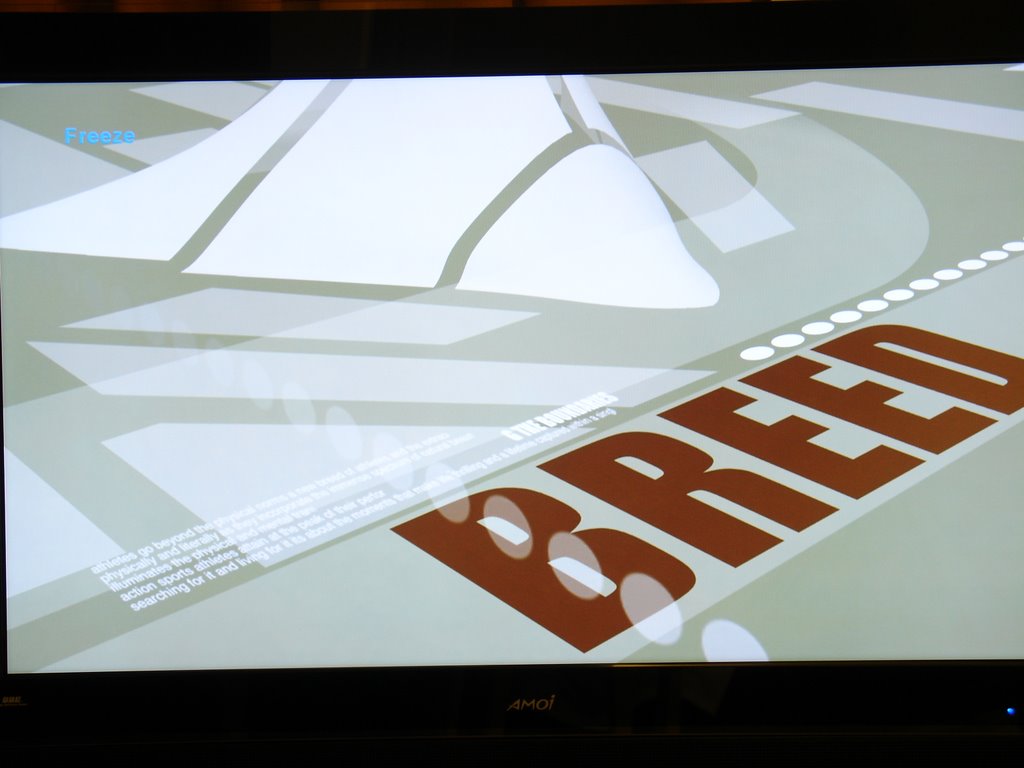
This is the Starhub Channel 300 HD 1080i feed, over the ADP 3800C set top box, H264 encoding 1920x1088 pixel (scaled to 1920x1080 pixels scaling done at HDTV end) 37" Amoi LC37AF1S LCD TV, pictures taken with 7M pixel Sony V3 camera on tripod.

The resolution is incredible. Welcome to my world, HD. 720P might be great, but since Starhub is broadcasting in 1080i and since the screens are so affordable, I now strongly believe that 1366x768 screens are not a viable option - go straight to FULL 1920x1080 screens.

Bluray and HD DVD will support 720P, 1080i and 1080P, so buying a 1366x768, 1024x1080 (ridiculous) is not advisable anymore.

Monday, June 12, 2006

Plasma vs LCD: Enough Already!

Previously, before I dove into research into this area, here were my considerations:
1) I prioritized LCD over Plasma simply because the plasmas were real hot and the LCDs were cooler.
2) LCD screens, when the backlight go kaput in about 60K hours, all you'd have to do would be to change the backlight CCFL tubes, a much cheaper process than changing the entire screen as you'd have to do in plasmas
3) Plasmas were more susceptible to burn-ins of continuously shown logos etc.

As if that were not enough, now I realise that HD broadcasts cannot be shown in their full 1920x1080 glory using today's plasma technology. So here's consideration 4:
4) Plasmas of today, have limited resolutions relative to similar sized LCDs, and cannot show full sized 1080i HD broadcasts without downscaling the image to fit the limited pixel arrays which plasmas typically have.

In a fit of interest, I started to buy some UK magazines like WhatHIFI and Sound & Vision, and I was shocked to see Plasma displays as a viable alternative to LCD TV screens in the HD arena. And it's incredible that some of the weird panel pixel counts like 1024x1024 or 1024x1080 screens can actually get a HD-Ready logo.

I can't stand this. Not only is there misinformation, there is actually some such `poorly designed' websites like this: http://www.hitachiconsumer.com/sg/products/proddetails.aspx?pid=1731&cid=107&tid=71 It does not list the pixel specification, only here does it list: http://www.hitachiconsumer.com/sg/products/download.aspx?file=42PD8900TA.pdf Whether this is on purpose or as an oversight, is a matter of debate, but clearly, the buyer MUST do a whole lot of research before committing to their HDTV investment and see through these little bits of misinformation or malinformation!

Worst of all, many buyers now base their decisions on the display when looking at DVD content, and that's just plain wrong. What a 576P DVD output can be rendered on a plasma is totally not the same as rendering a 720p or 1080i video on the same screen. Where DVD is upscaled, HD content is downscaled. Most of the time, visually speaking, Downscaling is much more horrible than upscaling. Where plasmas worked great in the final stand of SD - namely DVD - they suck in HD. Don't take my word for it, check it out for yourself. As before, let me voice some clear messages across:

1) If you're buying a HDTV today, in today's HD-centric world, just KNOW that you can't just compare your screens using the Standard Definition DVD feeds which most of the shops give you. Go download some HD content from the Microsoft WMV-HD site, put it into your notebook and pump the WMVHD full screen into the VGA port of the HDTV you're evaluating. Bring your VGA cable along when you're shopping. From the Display Settings in control panel, make sure your LCD is output in the correct pixel resolution, and check `extend desktop' like this:


2) With LCD TVs so much reduced in price, and quality, a 1366x768 LCD screen should perform much better than plasma display using your test. With the test above, you can also take a look on how your DESKTOP TEXT appears. Text gives away any shortcoming of the display in the most dramatic fashion.

3) In fact, now that Singapore's HD broadcasters have more or less settled on 1080i as a broadcasting standard, with the World Cup broadcasting on 1080i full HD, go for a full LCD TV supporting full 1080i HD instead! Previously I mentioned that these screens are ungodly expensive, I was wrong. I bought one yesterday for under S$3000 and it was .... wow. If I was impressed with the LG L3200TF playing 1080i rescaled to 768 pixels, I was STUNNED by the Amoi 37" LC37AF1S playing the World Cup at 1920x1088 pixels. So it's now possible. Why even bother with the 1366x768 panels? This here is `for the taking!'

4) Don't be misled by the HD Ready label. I realised that if a plasma display can get this label, they must be dishing out those labels like slop in a soup kitchen. In the past I thought that the minimum requirement was that you needed at least to be 1280x720 to get that label, but if a 1024x1024 ALIS Plasma screen can get the label, it's even more irrelevant as I previously thought.

5) Most displays can `take in' 1920x1080 signals - so if any sales guy tell you that a certain TV can take those HD signals, it's almost meaningless. If a screen has a 1024x1024 pixel arrays, when it takes in the 1920x1080 signal, it's going to rescale the 1920x1080 to 1024x1024, which is a 50% horizontal downscale and a 6% vertical downscales. That's shocking. Too much rescale here to be any good. What you REALLY should ask, is ... what's the pixel array of a certain TV. Just to simplify matters, at this time, you should just look for 1368x768 or 1920x1080 pixel arrays - everything else compromises too much on the pixel count.

Looking through many of the `LCD vs Plasma' websites all over the world, I realised that they're outdated. They're looking at all the old considerations, but HD has dealt the finishing blow and put the final nail in the coffin of plasmas - unless of course they release 1920x1080 plasma displays at an affordable price. Until then, bye-bye, Plasmas.

Just an afterword - I'm not a subjective picture quality type of guy. There no method in my madness - I just cannot bear a 1920x1088 signal being shown on anything less than that. HOWEVER, you must note that sometimes, the maxim `what you don't know won't hurt you' might apply. OK, under certain circumstances, if the stream is not encoded well, a high-resolution video with artifacts such as motion smearing, incorrect white balance or color points, and grayscale rendering problems may not look as realistic as a lower-resolution image without any of these problems. Take THAT into consideration, and I apologise in advance for adding such headaches to your already-difficult decision. Read this, it's not wasting time. Sorta it debunks whatever I've written here: http://www.hdtvexpert.com/pages/x1080.htm and he's a HDTV expert, while I'm just a bum.

Let's face it - this is a tough choice. But in view of a sub S$3000 1920x1080 display, it may `relatively speaking' be termed as `disposable' nowadays. It's much of a no-brainer.

Tomorrow I'll post some high resolution camera shots of the World Cup matches.

Saturday, June 03, 2006

Starhub ADB 3800 compatibility with LG L3200T multifunction LCD panel

OK finally got my Starhub ADB 3800-series to try with my LG L3200T multifunction LCD TV Panel. Note that the L3200T is the commercial/industrial class of LCD panel which are optimized to commercial 24-hour 365/7 use in a public environment (read `tough') and are not available from superstores, but the Sim Lim Square and Funan people will order one for you on request.

The Starhub ADB 3800 can display the following modes in Singapore:
  1. 576i
  2. 576p
  3. 720p
  4. 1080i

The L3200TF is a 32 inch 1366x768 monitor which has one DVI(HDCP) digital in, besides a whole plethora of normal connections like Component, S-Video etc. I only tried the DVI(HDCP) here's the result:

  1. All display modes have no issues with the monitor except 576i, which makes the monitor go into sleep mode. That's OK, I got HD so that I could run away from 576i
  2. There is no SELECTOR for the ADB box to selectively output - all outputs are pumping simultaneously
  3. Even if you select 720p or 1080i which your DVD-Recorder most probably cannot support, there is a special output called VCR (a composite/stereo port set yellow, white, red) which will remain at 576i to preserve DVD-Recorder support no matter what mode you select for the video on the other ports.
  4. The best modes were between 720p and 1080i. However, the 1080i looked better on this screen.

OK, note this theory (I cannot confirm, but it seems logical to the best of my knowledge): if you pump a 720p native signal to a 720p capable monitor, compared to pumping a 1080i signal to a 720p monitor, the 720p is better. However, the Starhub native HD signal on channels 300 and 301 last night, were 1080i native. If you select a 720p output from the ADB box, the 1080i native signal is rescaled in the box to 720p, and after that it is pumped to the L3200TF, and the L3200TF re-scales the 720p signal to fit the 768 horizontal lines. Thus there are 2 levels of rescaling at the video endpoint itself.

If you select 1080i, the native signal is not re-scaled at the ADB box, but is merely pumped as 1080i to the L3200TF. The L3200TF will rescale the 1080i signal to 768 lines which the monitor can take. This is only 1 level of re-scale, and therefore, I guess that's why I got a better signal.

I'm very very happy. Digital Audio AC3 can be pumped form the ADB 3800 to my external AC3 amplifier, no issues. Audio was great.

Now I'm buying yet another L3200TF. For my room this time. Under S$2K, it fits my purposes great - connecting a PC to this gives fabulous results too. The Caveat: I sell LG monitors, so please, take this review with a pinch of salt. The bigger the better.

Friday, June 02, 2006

Do ALL HDMI have HDCP?

When I started this blog I didn't know how much work it took to keep it relevant and complete enough for people. Now there are people asking `Do ALL HDMI connectors have HDCP support'? The short answer is NO. To be sure, it should state HDMI(HDCP) if it DOES support HDCP.

HDMI Licensing, LLC, the licensor for all HDMI partners, does not require HDCP compliance as mandatory for all their licensees. That being said, HDMI licensees get a discount for putting HDCP on their HDMI connectors:

http://www.hdmi.org/about/faq.asp

If the Adopter implements HDCP content protection as set forth in the HDMI
Specification, then the royalty rate is further reduced by one cent (US $.01)
per unit sold, for a lowest rate of four cents (.04) per unit. Adopters must
license HDCP separately from Digital Content Protection, LLC, an Intel
subsidiary.

The Wiki states:

... nearly all HDMI connections support HDCP ...

Hitachi 42" "1080 ready" advert - Caveats

So Hitachi's riding on the HDTV bandwagon with frequent ads - "Are you 1080 ready?" How good is this one? Check this out by Tech Reporter Oo Gin Lee at his HDTVSingapore blog: HDTV Singapore: Hitachi's 42 1080HD Plasma - Don't buy first

In addition to Gin Lee's words, the Hitachi 42" real specifications, which they don't state on the TV ads, is 1024 vertical by 1080 horizontal. NO TYPO HERE. The 16:9 physical aspect ratio is reproduced by 1080x1024 pixels in reality, which means you have real WIDE pixels for a start. For a traditionally compliant 1080 panel, it has like 1920x1080 pixels, a perfect 16:9 ratio achieved by the pixels.

In their brochure here: http://www.hitachiconsumer.com/sg/products/download.aspx?file=42PD8900TA.pdf they state in WORDS that they are HDTV ready, but there's no HD-Ready logo, dude. And without mention of the HDCP logo and not having a pixel count within the `at least 720P in 16:9 ratio' I don't see how it can get the HD-Ready logo. I see the brochure as either INCOMPLETE or ... well, you know, excessive spin.

Anyway, I think HDTVsingapore has asked for a clarification, let's see what they come up with.

UPDATE: OK they replied to ginlee. http://hdtvsingapore.blogspot.com/2006/06/hitachi-responds-on-its-1080-hd.html

There's no magic. It is indeed a low number of vertical lines. Quoting:
To enjoy full spec of HD, the panel should have a resolution of 1920 x 1080 for
the 16:9 screen aspect ratio.For Hitachi's 42PD8900TA with resolution of 1024 x
1080, the vertical lines is actually slightly scaled to get the 16:9 aspect
ratio.

SLIGHTLY indeed. Almost a 50% downscale, and they call it SLIGHTLY. Incredible spin.

Thursday, June 01, 2006

4 HD boxes, 1 HDCP port - the battle for ports

Now it seems that all HD boxes would probably require a connection to a HDCP compliant display. Even if you eschew HDCP as a requirement, you'd still require port per HD box.

So, how many boxes are there vying for your HDCP compliant Digital Video input port (just one today)?
  1. Mediacorp has their Humax box
  2. Starhub has their Advanced Digital Broadcast box
  3. You got your PC
  4. Bluray players/recorders are coming
  5. HD DVD players/recorders are coming

So you got 5 devices, all with digital outs either in DVI or HDMI, vying for your 1 DVI port and 1 HDMI port, and only 1 of them has HDCP.

How are you going to connect all of them just to ONE display? It's a big laugh. We're going down back to the dark ages where there's nothing except a TV set. What in the world were the TV designers thinking about? They give us loads of component, composite, S-Video connections but just 1 or 2 digital connectors?

There may be a saviour, but it'll put a big US$349 in your pocket, and add one more remote control to your arsenal, and.... a whole lot of workflow. Your grandma may never be able to use a TV again after you install this HD Switcher box, a 4 inputs to 1 output box: http://www.copperbox.com/lite/popinfo.php?lc_code=EXT-HD-441&rodina=yes

Wednesday, May 31, 2006

More about Starhub HDCP - Starhub has good people!

We've reached a stage where ... sigh ... the slightest glimmer of brilliance elicits a big response. This does not belittle a staffer in Starhub called Justin Cheng though. He is VERY good. I don't know whether he's management level or just some grunt, but he's good. See this email:

----------------------------

From: Michael Tan
Mailed-By: gmail.com
To: customerservice@starhub.com
Date: May 23, 2006 1:43 PM
Subject: HD TV trial programme enquiry

Starhub and MDA definition of HD is different!

Please click on the links for details

Starhub has released HD trials. Great! BUT, Starhub does not mention HDCP at all, but MDA states that you must have HDCP in order to have HD-compliance. So how now? Well, I think Starhub will not broadcast HDCP content in the trials, but eventually they will do so. But once they implement HDCP, if our monitor do not have HDCP, the content will be degraded to 480P from 720P. Starhub should clarify! -- ____________________________________________
Michael Tan

----------------------------

And Justin Cheng answered:

----------------------------

From: customerservice@starhub.com
Mailed-By: starhub.com
To: michaeltanyk@gmail.com
Date: May 30, 2006 2:21 PM
Subject: Re: HD TV trial programme enquiry

Dear Michael

Thank you for your email.

We apologise for the late reply.

With regard to your enquiry, we would like to inform you that ourset-top box is HDMI/HDCP and it should be fully comply to TV withHDMI or DVI/HDCP.

At present, the HDCP is not triggered till there's a need, so most of the TV will not be affected. However, if it comes to a time that this is triggered, then those TV's without HDMI/HDCP should see the warning message below. Also, the viewer still can switch over to component or composite output for viewing, as they are analog transmission to the HDTV.

HDCP Warning
This material is copyrighted and your display is unable to handle its protection properly. Therefore, you will not be able to watch the program using HDMI. To watch this material, please use analternative type of video output connection from your set-top box, e.g. YPbPr

For other reference about HDMI/HDCP, please visit http://tv.about.com/od/hdtv/a/hdmidvihdcp.htm

If you have any questions on StarHub Digital Cable and MaxOnline services, please call us on our Customer Care hotline at 1633 (+656820 1633 from overseas), email to this address or fax in to 67251603.

Best regards
Justin Cheng
Customer Affairs

----------------------------

Don't you just love Justin, in an era where people reply you things which are so much bullshit? Justin, you're damn good. You may be a manager, but you probably can be king.

Anyway, let's calm down and see Justin's message content. It's shocking, right? So your S$4,000 to S$35,000 LCD TV which does not have HDCP will just display the wonderful message, rendering your digital port .... useless for HD.

One more point - I'm not sure that Justin's workaround on the analog port is accurate. Here's my additional query to Justin:

-----------------------------

From: Michael Tan
Mailed-By: gmail.com
To: "customerservice@starhub.com"
Date: May 31, 2006 4:17 PM
Subject: Re: HD TV trial programme enquiry


Justin, thank you for your excellent answer, MDA's reply paled very much in comparison.

One clarification - if one switches over to analog when you get the message, there has been talk about the HDCP scheme requiring analog output to be downgraded to 480P/576P from HD resolutions. Is this true?

This is summarized here:
http://miketan.blogspot.com/2006/05/less-discussed-complications-of-hdmi.html

with sources from here:
Matthew Torres of About.com thinks that the signal may be blocked

On a HD DVD or a Blu-ray disc, if the manufacturer or publisher of the disc has set the HDCP protection flag set as ON, if this player is connected to a non-HDCP compliant LCD TV, the player will output a downsampled signal of 540p .

This question I think is essential, because out of 300K people who have plasma/flatscreen, 90% of them have it without HDCP.

----------------------------------

Let's hope Justin replies my question and sheds more light on this situation.

MDA Starhub Mediacorp HD Press Conference

The Media Development Authority of Singapore (MDA), together with MediaCorp and StarHub, invited the press to a press briefing on the launch of High- Definition Television (HDTV) trials in Singapore. This briefing took place today.

From some feedback I heard, this was not terribly informative but some information was distilled from there. I think they intended this to be a Rah Rah affair but somehow, the Q&A pretty much drew a lot of blanks and difficult issues out. Kudos to whichever reporter sharp enough to ask the tough questions.

A hearsay distillate (I wasn't there):
  1. HDCP would not be implemented during the HDTV trials
  2. HDCP MAY be implemented during the commercial HDTV rollout pending evaluation (MT: wow. Who said that MDA, Starhub and Mediacorp had enough clout to determine the future of HDCP inclusion in today's bit-torrent enabled world?)
  3. A full two hundred to three hundred sets of flat screen LCD/Plasma screens exist in Singapore today (MT: wow again. How many of these are really HD ready? 10%? We're in for a load of troubles once people start to receive HDCP feeds with the broadcast flag enabled to degrade picture quality on non-HDCP TVs! And pity those guys who have ... errr.... 1024x1024 plasmas.... )
  4. One of the powers-that-be mentioned that, if HDCP were implemented, no problem, just get the analog component and all will be fine. A reporter queried him - hey, won't there be degradation if you pump a HDCP enabled signal through the analog? (He was referring to `plugging the analog hole' as mentioned here and referred to here - which in summary, that there are moves to make HDCP equipment degrade content if played through analog in an attempt to stop the bypass of HDCP content protection by recording HD through analog.) The speaker said - NO. Analog will not degrade the quality, you will still get very good quality content (MT - this betrays a total lack of understanding on the part of the speaker about the brewing battles between the content providers, broadcasters and the device manufacturers, where they are fiercely fighting the battle on how to plug the analog hole)
  5. Starhub's flagship content for this trial starts with the World Cup, and Mediacorp's flagship content for this trial starts with the ... err... Lord of the Rings - The Two Towers .... OMFG! << (not particularly an exclamation of joy.)

Well, now we know that they know little more than us, and perhaps a lot less than some of the enthusiasts who have been watching the developments hawkeyed. We're in for a load of forum complaints, I'm certain.

HD Ready Logo INSUFFICIENT!

The official stand by most HD device marketeers when somebody asks them - which HDTV to buy? They'll say: "Simple! Look for the official HD Ready logo!"

NOT so simple!

The HD Ready logo was announced by the European Industry Association for Information Systems, Communication Technologies and Consumer Electronics (EICTA) in Jan 19, 2005 with regard to DISPLAY DEVICES ONLY. Who can display this logo? Simple. Anybody who pays a license fee to the EICTA and proves that their set meets the bare minimum of requirements set by the EICTA, can display the logo. So let's distil the requirements (see Annex A in this link):

  1. Must be able to display HD sources at higher than PAL (576i resolutions)
  2. At least 720 physical lines at a 16x9 picture aspect ratio (widescreen). Note: this is merely a requirement for physical lines. This does not mean that the device has to render to the maximum of 720 lines, and the mere fact that there are 720 lines already means that this requirement is complied with.
  3. Device must accept HD content using Component, DVI or HDMI interfaces, and able to support 720p AND 1080i
  4. HDCP content protection must be supported.
Problems:

  1. A false sense of security - the introduction of a logo like this, gives buyers a false sense of security. It implies that `you're all set if you get one with the logo' but does not readily imply the caveats below.
  2. Source-display incompatibility - well, if you get a transmission at 1080i, and you get a LCD TV with 768 physical lines, your picture may be downscaled to 576p, and you'd not get the 720 line display which you so dearly want. This is already happening in the Singapore Starhub HD trials with the Advanced Digital Broadcasting box.
  3. Older models which are indeed HD Ready do not exhibit this logo - if the authorities or broadcasters spin that HD Ready is required for their transmissions, that'll spur a lot of unneccessary HDTV changes!
  4. The HD-Ready specification does not care HOW MANY ACTUAL LINES ARE DISPLAYED, it merely states the physical requirement. It does not require the device to actually render the video on the screen in pixel perfect resolution. This is a real ass!
  5. Broadcasters will not dare to advertise HD Ready as a requirement - they won't. It'll kill their HD sales! Everybody who bought a LCD panel before the EICTA announcement, before the existence of the logo, will have second thoughts about subscribing to the HD service simply because they don't know for sure whether their HDTV will support any HD service which is advertised to require the HD Ready logo. So they won't do it unless they're forced to.
  6. Lack of publicity of the HD Ready logo - if the broadcasters won't advertise the requirement for the HD Ready logo, who will? A big part of the user education should come from the broadcasters, and what comes out from the broadcasters is authoritative. If the manufacturers advertise their HD Ready logo, and the broadcasters don't require it officially, makes it a pretty futile exercise, won't it?

I really think there is no alternative to the broadcasters publishing detailed technical requirements. The use of the HD-Ready logo is misleading, and anybody who passes the buck to the HD Ready logo scheme is irresponsible, and could do better than that. For the HD Ready logo scheme to be really relevant, they should have 2 versions: HD-Ready720 and HD-Ready1080 - at least, and these 2 versions should require PIXEL accurate reproduction to 720 or 1080 lines.

So those who think, don't leave it all to the logo. Demand an exact specification from your broadcaster, and try to understand the concepts, then buy your HDTV. Don't let them sweep it all under the carpet just with a mention of the logo scheme.

Tuesday, May 30, 2006

ERP accidents-Tougher Penalties Please


Yesterday, I saw a typical accident in the Central Expressway, JUST before the Electronic Road Pricing (ERP) gantry. More than 5 cars were involved and it was the type of accident which in some cars the entire trunk was crushed.

Just a normal ERP accident I thought, where some idiot saw the gantry and stood on the brakes because he didn't have enough funds on his card or his card was not inserted - just to avoid a S$12 fine. I see these kinds of accidents so often, it's become `normal'. Just that in this one, an ambulance was racing to the scene with obvious difficulty since this accident caused a fair bit of congestion.

When I saw a baby in the arms of one of the accident victims, my blood boiled though. The survivalability of a baby without a car seat, is relatively low. Even with a car seat, he'd be traumatized. I know - somebody slammed to the back of my car before and my 4 months old baby went berserk for a few minutes.

First, who in the world took the `easy' decision to eschew collecting monthly payments in favour of the prepaid cashcard system, only he knows whether the blood of accident victims is on his hands. Look - offenders have to be mailed anyway, and mature billing systems exist for almost every public utility and telecommunications service in Singapore, why not have a billing system for the roads? At least it'll minimize ERP accidents!

If the government doesn't budge from this fateful decision, then let's have the government do the easy thing. Slap an enhanced fine on people causing ERP accidents. By no means is this going to be easy - the guy in the front of the pileup is probably not the one who stood on the brakes, it's probably the guy a car or two in front of him. Still, just bring on the big stick. Put them into prison, cane them, whatever. It's the easy thing to do, and hopefully, it'll save a life or two. And reduce all the congestion caused by the damn ERP accidents!

Monday, May 29, 2006

Fuji F30-world's best P&S camera


The Fujifilm F30 is easily the best point and shoot digital camera in the world right now. hpicckcy of DPreview forums has given us the first installment of his incredible pictures, and it's fantastic. In lousy conditions, it gave such perfect quality I could not believe that it came from a cheap P&S DSC. The possibilities are endless - just by stepping up the ISO up to 3200, you can handhold most of your shots, even night shots for that matter!

Christmas seemed to come early this year. My previous blogpost on What Next for Digital Cameras came to life with the F30 for point and shoots. This F30 has such incredible dynamic range, such low noise levels, that ... for anyone in the market for a point-and-shoot digital camera today, it simply HAS to be the F30, even though it uses XD.

Probably, XD will find a new lease of life with this one. So will Fuji.

HDTV-Plasma or LCD?

Before you go out and buy a nice big 42 inch screen for HDTV, ponder on this first.

My assertion is that an LCD display is more suited for HD than Plasma, because Plasma usually comes in real small resolutions.

LG is the world's largest Plasma manufacturer, so taking a look at their website:

Model : 42PX4RV Resolution 852x480 (WVGA) eerrr... a 42" Plasma Display which supports 480P only?

Model : 42PX5R
Resolution 1024x768 (XGA) - what a weird resolution... for 720P at 16:9 ratio, the number of vertical lines should be 720/9 x 16 = 1280, 1024 needs to be rescaled.

This is not comprehensive, but just before you buy, take a close look at the plasma's resolution specification. for 720P, you need 1280x720, and for 1080I or 1080P you need 1920x1080. I've limited my discussion previously to LCD TVs only, so if you elect to buy a plasma, which is way cheaper, take a few minutes to look at the brochure!

Friday, May 26, 2006

HDTV confusion - I'm not alone!

Look at the UK - one in 5 TV viewers in the UK don't know they have to get a HD TV to view high definition TV. And then half of them don't know they have to get a HD set top box, and 2 thirds of them don't know that they have to pay to get HDTV.

Looks like I'm not alone in my confusion. In Gadget Crazy Singapore, people will get a HDTV whether or not they want to view HD or not. SO it's different. BUT our broadcasting authority, the MDA, must make clear statements to the people, so that they know what to do. If we're gonna get struck by HDCP, they must tell us. And they must tell us what happens if our TV isn't a HDCP. And they MUST TELL US NOW. Because so many people are buying new TV sets in preparation for the world cup, the urgency is even greater now.

And IF THEY DON'T KNOW THE ANSWERS, THEY HAVE TO SAY SO. Not saying so, and still implying to be the `know it all', gives people a false sense of security. If they don't know, PERHAPS people may hold off purchases until they do.

Granted, their website has stated many things. Among them, they stated plasma technology. Hey, PLASMA may not give you the resolution you need for HD. Did they tell anybody that? Or it's not their job? Whose job is it anyway? Mine?

They're having a press conference next week. I fear that some of the answers that the fully prepped press will ask might not be answered there. And I fear, if the MDA doesn't know, then why are they into HDTV at all. So much money spent now at HDTV's infancy, on equipment which may well be outdated once things become clearer globally. The whole wide world is rife with rumours, misinformation, half censored marketing information, and real uncertainty.

And if some of the things I said come to pass, like HDCP blacking out your analog outputs or degrading them, tons of people will NOT be happy - as late as 1 year ago, many LCD TVs and Plasma TVs were sold as HD-ready devices, without HDCP!!!!! And since TVs last a normal human being in Singapore for 5 to 10 years, won't they be pissed?

The way it's going now, why do we even need a broadcast authority? One broadcaster's going on about having MPEG4 HD based on what was previously known as H264, and the other's probably gonna broadcast on MPEG2 HD, and nobody knows whether HDCP is going to be embedded or not. That's the state of affairs in Singapore, and yet, they're gonna charge us for the HD trials. Nobody knows nothing, and let's face it - the MDA's not gonna change the minds of any of the content owners, so what's the use anyway? There's no standardization, no information, no real insight, no nothing. So, might as well leave it to the free market huh? And save a few million bucks a year not having an MDA.... after all, isn't it ideal to have the free market without extraneous funny considerations, like national pride of being the first in Southeast Asia to have widespread HD Trials, to blur the distinctions between what is best for me/us and what is best to the regulatory body?

But yet, the allure of watching the World Cup 2006 on HD is .... intoxicating.

Intel Woodcrest Benchmarks Claimed WRONG!

I spent the entire half of today in the Intel seminar launching the Bensley platform, a new platform with allegedly great improvements over their old stuff. The Platform Manager himself showed us some `recently available' benchmarks showing that Intel had finally caught up with AMD and will NO LONGER PLAY CATCH UP.

I thought, Wow. Opterons had so much lead over the Intels, and nothing much has changed except for the CPU, what must have changed, I thought, was that the new 0.65nm process gave the Woodcrest processors so much more lead. I even asked the platform manager WHEN he was about to integrate their memory controller unit into their CPU, and he told me that this is not necessarily yet (in view of the benchmarks) and in a few years they'd do it.

Imagine my surprise, when I came back, I found this thread in my Instant Messaging:

Intel Woodcrest performance claim a fraud

In summary, the blogpost content includes:
1) Intel based their results on the tpc.org results, but Intel claimed that the AMD Opteron machine was using 64bit software like the Intel machine, but at the tpc.org website, the Opteron machine was loaded with 32bit software.
2) The AMD machine was using different, smaller hard disk storage compared to the Intel machine


Anyway, let these guys clarify this first. Intel Server Platform Group has been informed of this blogpost, and he'll respond.

Thursday, May 25, 2006

Writely Integration with Blogger/Blogspot

I've been curious how Google integrated writely with Blogger/Blogspot, and here is the result (if it appears).

We can easily put in tables:

Row 1 Column 2, row 1
Row 2 These table cells can be sized to content!


Best thing about Writely was that you can cut and paste with all the hyperlinks intact. Can this be done here?

From Internet Explorer:

XpertVision has again expanded its lineup of graphics cards to take into consideration the new DDR2 and DDR3 designs for mid-end and entry level cards, to create an incredible performance boost - the highest performance cards in its class. Please download the XpertVision specification chart for details.
Click Here for complete product line specification chart.

From Excel: (table deleted coz can't publish to blog if it's here)

Looking better!

What about pictures?

Wow! Now just hope that it can be pumped into blogger!

Under Blog, you can set your blog settings, and sure enough, Blogger is the easiest one to handle.

Well, life is good! But damn, I'm getting this error from blogger: "object reference not set to an instance of an object"

A search in the Writely forums http://forum.writely.com/showthread.php?t=489&highlight=object+reference+-set reveals that I'm not alone. This seems to be a blogger problem and SOMETIMES IT WORKS. Seems that if you try like tons of times, it might work once. So here I go pumping and pumping .... If you see this post, means I've succeeded.

OK I must have tried a hundred times, and 2 different errors came out of it.

Wednesday, May 24, 2006

Media Development Authority of Singapore (MDA) responds: Commercial Rollout of HD WILL have HDCP!

Yesterday, I emailed a query to MDA:

Subject: Starhub Minimum Requirement Different From MDA minimum requirement for HD

Anyway, a summary of events:Starhub has released HD trials. Great!http://miketan.blogspot.com/2006/05/starhubs-requirements-not-matching.html

So how now?

Well, I think Starhub will not broadcast HDCP content in the trials, but eventually they will do so. But once they implement HDCP, if our monitor do not have HDCP, the content will be degraded to 480P from 720P. http://miketan.blogspot.com/2006/05/less-discussed-complications-of-hdmi.html

They responded:


From: MDA CIR Staff4
To: michaeltanyk
Date: May 24, 2006 2:36 PM
Subject: Re: [SPAM] Starhub Minimum Requirement Different From MDA minimum requirement for HD


Dear Mr. Tan,

Thank you for your email.

With regards to HDCP, MDA aims to keep the public informed of developments and to future proof consumers' purchase of HD-Ready TV.

For this HD Ready TV Trial, the broadcasters are to determine the best operating mode for their business which will include the activation of HDCP for content protection in the eventual commercial rollout.

Thank you.

Best Regards,
Community & International Relations
Media Development Authority

So what this this all mean? It's not clearly written at first look, but carefully reading this email reply together with their FAQ and our current knowledge now, here's my try.

Statement: With regards to HDCP, MDA aims to keep the public informed of developments and to future proof consumers' purchase of HD-Ready TV.

My interpretation: MDA's FAQ is not wrong. Their HD requirements are future proof. So, it is clear: You MUST have HDCP to future proof your LCD-TV purchase.

Statement: For this HD Ready TV Trial, the broadcasters are to determine the best operating mode for their business which will include the activation of HDCP for content protection in the eventual commercial rollout.

My interpretation: Broadcasters are free to determine the best way to represent themselves and the requirements at the time of the TV trial, optimized for their own business. HOWEVER, eventual commercial rollout WILL include (not 'MAY', MDA used 'WILL') HDCP.

So, this means, go buy a HD screen with HDCP, this is clear. Also, if MDA is right, commercial HD, by any broadcaster in Singapore, will activate HDCP. This further means that, questions of whether the content will be degraded when it goes over analog or to a non-HDCP compliant TV, will best be answered in - it's up to the HDCP parties, the content providers, the broadcasters, the device manufacturers, etc.

I asked MDA to comment on whether content will be degraded if played to a non-HDCP compliant TV - they did not respond yet, but once they do, I'll post here.

Microsoft and Sony may have agreed not to degrade HD resolutions output on non-HDCP compliant ports

OK things move really fast. Since I don't read German, I had to wait until some smart guy in Daily Tech to post a comment on a German article on Spiegel online that HDCP may not be necessary until after 2010.

I held my horses and took a good look at the article. After all, it might have been groundbreaking news! But turns out to be pretty old news. Or at very best, insignificant news.

First of all, there are `rumours' that Microsoft and Sony agreed not to degrade HDCP content on non-HDCP compliant ports. This has already been reported in the Wiki entry on HDCP at least only for Sony.

However, the Hollywood guys did not agree. And it's the Hollywood guys who are important, aren't they? Sony WAS a major supplier of playback and display equipment, but today, they're no longer as great as they were a decade ago. And their major preoccupation is the Playstation 3, which judging from the PS2's history, few people use a game console to play Hollywood content - it's a Game Console for god's sake.

Since the Hollywood guys did not agree, I'm gonna piegonhole this piece of news to the KIV folder.

So there.

Getting hung up on HDMI and eschewing DVI?

Many people have responded and criticized my selection of DVI over HDMI in my previous blogpost here. Many have also questioned the need to connect a PC to the LCD TV in the living room. I was looking for an opportunity to spend a bit of time to post my counter arguments on this.

Thankfully, a certain gentleman Samsas at the MDA HDTV trial forum posted the gist of most of these objections, so I took the effort to write my comments on his reasons for HDMI and against DVI. Here's the post and my reasons:

-------------------------begin---------------------

samsas wrote:
That's an interesting article. But I don't agree that DVI is the way to go over HDMI. The reasons for this.

1. DVI does not support audio. Period. We're talking TV here, and the HDTV signal will have multi channel sound whenever available in a program. Now if you are going to use a fibre connection to a reciever for audio and DVI for video its highly probable that there will be a sync problem. The sound and video signals won't be simultaneous for the most part, so you will need a reciever that can adjust for this and believe me it's not a simple task.

MT: All receivers will have AC3/Optical out. If you connect via DVI, which does not multiplex digital audio inside itself, you can use the AC3/Optical out to connect to external AC3 receiver or the TV itself since all TVs which support digital audio will have AC3/optical. It is assured that there will not be a sync issue, since this technology has been used ever since DVD was born. We are now using AC3 with DVI for most DVD output even, in computers, and in some China players. NO sync issues as long as encoded stream do not have sync issues.

2. Wer'e talking TV again here. How many of us are going to hook up desk top computers to the living room TV? It's a logistic problem. Even if we did we'd need a tuner for the TV signal going into the PC. It's a bit easier with portable lap tops, but you still need a laptop with a tuner built in. And even if you get one not many laptops give you 5 channel sound output, so you need a card from Creative or whatever.

MT: This is 2006. Intel has released the ViiV, Apple release Mac Mini with frontrow. Many people have content based non-standard codec, and require the flexibility of a CPU to decode. Singapore IPTV service by Mediacorp mobtv.sg is right now PC-only. Many people view football with Asiabookie web page on the same screen, half half. See Donald Trump Apprentice #1? It's an LCD TV connected to the computer leh. Surfing has become a lifestyle, to be performed in the living room, not only the study, bedroom and computer room.

Just surf forums.hardwarezone.com and you see tons of people trying to connect their computer to the living room. The era of a living room PC is here already. LCD TV last you for 10 years. Within this 10 years, you're willing to bet you not gonna connect your PC to the TV?

3. Every upscaling DVD player I've seen in the shops now outputs the upscaled DVD signal via HDMI not DVI.

MT: Upscaled DVD content can traverse whether over HDMI or DVI. There is no issue. HDMI can easily be converted to DVI and vice versa, and yet DVI has the advantage of computer compatibility. This is not a point to get hung up on.

4. Correct me if I'm wrong but the new HD DVD player on the market in US (Toshiba) has only HDMI out.

MT: Toshiba is one of the smallest major brands in the market for DVD, and I don't usually follow them. In any case, HDMI is equal to DVI when it comes to the video protocol profile, therefore, HDMI can easily be converted to DVI using a direct mapping cable. This is also not a point to get hung up on.

5. I don't think HDTV will go beyond 1080i for some years to come, so if you want resolutions beyond 1080i you're back to scalers again. So your PC internal DVD or HD DV player must be able to upscale to the higher PC resolutions above 1080i and 1080p (HDMI ver 1.3). You're going to need a top range desktop to go anywhere near the processing power you need.

MT: My point on preferring DVI to HDMI is not because I want higher resolutions. It's because of PC resolution compatibility, since DVI supports ALL and HDMI by definition only supports 480p, 720p, 1080i and 1080p, pending further developments. Today, a S$1K PC with a nVidia 7600GS card can already drive a WQXGA display very satisfactorily, and that's 2560 x 1600, in 3D even.

So unless the TV came with both DVI and HDMI in, I'd go with the HDMI option. Its the most practical.

MT: As stated in my blogpost at http://miketan.blogspot.com/2006/05/less-discussed-complications-of-hdmi.html most of the dual HDMI+DVI options you can find, only have HDCP on the HDMI port and not the DVI port. The trick is to look for a LCD TV with only DVI and the HDCP will be implemented on the DVI port. if you see Vincent's post here at http://www.mycarforum.com/forum/Help_on_LCD_tvs_P1356966/gforum.cgi?do=post_view_flat;post=1346681;page=1;sb=post_latest_reply;so=ASC;mh=-1;guest=2398 he found a LG 32" which did exactly that.

ALWAYS REMEMBER, the TV and DVD and set top box manufacturers will manufacture an entire range of products with every Input output available, since it's almost free for them. They're not gonna limit the number of outputs and inputs, because more outputs and inputs will make their player more flexible and for reverse compatibility. Don't get hung up on HDMI because it's `newer', because it's not. It's same as DVI for video, and multiplex normal AC3 into is own transmission envelope, nothing we can't do normally even now with AC3 out and DVI combined.

-------------------------end---------------------

ALL THIS MAY BE MOOT! I have just been informed by VincentV that HDCP may not be necessary until after 2010 ... I'll read it up and repost.

Tuesday, May 23, 2006

Starhub's requirements not matching MDA's requirements for HD

I just want to post that Starhub's requirements do not match MDA's requirements for minimum requirements for HD-Ready displays.

See here: http://www.hdtv-trial.sg/faq.htm

Under point #7: http://www.hdtv-trial.sg/faq.htm (update 6Jul06 - they took out point #7 from the web. LOL)

7. What are the minimum requirements for “HD-Ready” displays?
7.1
The minimum native resolution of the display must be at least 720 physical lines in aspect ratio of 16:9. The display must be able to resolve either 720p, 1080i or 1080p.
7.2 The display device must accept HD input via:
Analogue Component Y-Pb-Pr, and/ or HDMI ( High Definition Multimedia Interface) or DVI ( Digital Visual Interface )
7.3 HD capable inputs must accept the following HD video formats:
- 1280 x 720 @ 50 Hz progressive ( “720p”)
- 1920 x 1080 @ 50 Hz interlace ( “1080i” )
7.4 The HDMI or DVI input must support content protection , HDCP ( High- Bandwidth Digital Content Protection System )

Point 7.4 is critical. STARHUB DOES NOT MENTION HDCP COMPLIANCE IN THEIR WEBBIE HERE: http://www.vocanic.net/hdtv/crs/edm/appendixA.html


MDA seems to require HDCP, but perhaps NOT NOW.

What they fail to state, is that if one uses Analogue Component, there is a big chance that the video will be downgraded from 720P to 480P. And they fail to tell us what happens if you connect the display to a non-HDCP DVI/HDMI port.

Rocket science it is, but these guys are rocket scientists, can't we have more clarification?

All in all, it is still worth to get the Starhub HD, because a component, DVI or HDMI interface is a big sight better than the composite connection offered by Starhub Digital Cable. But I think it is imperative that more details are given to the public - after all, this is a PAY trial, not a FREE trial.

Monday, May 22, 2006

Starhub readies HDTV trials

Starhub makes ready their HDTV trial here: http://www.vocanic.net/hdtv/crs/edm/

OK, you gotta pay: a one-time trial fee of $52.50 and basic install charge of $31.50 applies. But World Cup will be in HD though, so that's cool.

What do you need to be HD-ready according to Starhub? Quite lax requirements, actually! See this here: http://www.vocanic.net/hdtv/crs/edm/appendixA.html

1) The minimal vertical resolution of the HD-ready display must be at least 720
lines in an aspect ratio of 16:9;

2) The display device has an interface to accept HDTV signals such as Component interface (Y-Pb-Pr), HDMI (High Definition Multimedia Interface) or DVI (Digital Visual Interface); and

3) The HD inputs is capable to accept the following HD video format:
-1280 x 720 @ 50Hz progressive (720p)
-1920 x 1080 @ 50Hz interlace (1080i)

Wow! The way they say it, means you don't need HDCP! Cool! Ready to record the HD content totally unprotected? This is like sex without a condom, people!

More implications for this:

1) Starhub's HD broadcasts are gonna be WideScreen.

2) The box will have component out (analog) and DVI and HDMI as digital outs! Excellent, especially for the DVI part!

3) As expected, 1080P will not be resolution of choice. As such, a 720P view would be better than a 1080P.

4) No mention of HDCP! YES!!!!!!!!!!!!!!!

Now, say that if you successfully get a picture, then later, Starhub gets a directive to put HDCP into their content. What then? Your subscription is screwed? You pay money to get 480P back all over again?

Anyway, you can sign up here. I'm gonna do it now and if I am selected, you'd be the first to know.

Edit: Do you get HD on all the channels? No, only the channels with HD, like World Cup, but all the other channels which don't have HD content will look MUCH BETTER because of the component/DVI/HDMI interface will be a BIG SIGHT better than the sucky composite/RCA interface now.